What is OCR? How Image to Text Technology Works
You’ve probably used OCR without even realizing it. When you scan a document using your phone and copy the text from it, that process is powered by OCR. OCR stands for Optical Character Recognition. It is the technology that reads text from images and converts it into editable, searchable digital content. From students scanning notes to businesses processing invoices, OCR plays a big role in modern digital workflows. In this guide, you’ll understand what OCR is, how image to text systems work step by step, where they are used, and how to get accurate results.
What is OCR?
OCR (Optical Character Recognition) is a technology that identifies printed or handwritten text inside images and converts it into machine-readable text.
Computers normally see images as pixels. They cannot understand letters or words directly. OCR bridges that gap. It analyzes patterns in an image and recognizes characters such as A, B, C, numbers, and symbols.
After recognition, the system converts those characters into editable text that you can copy, paste, search, or store in a database.
A Simple Example
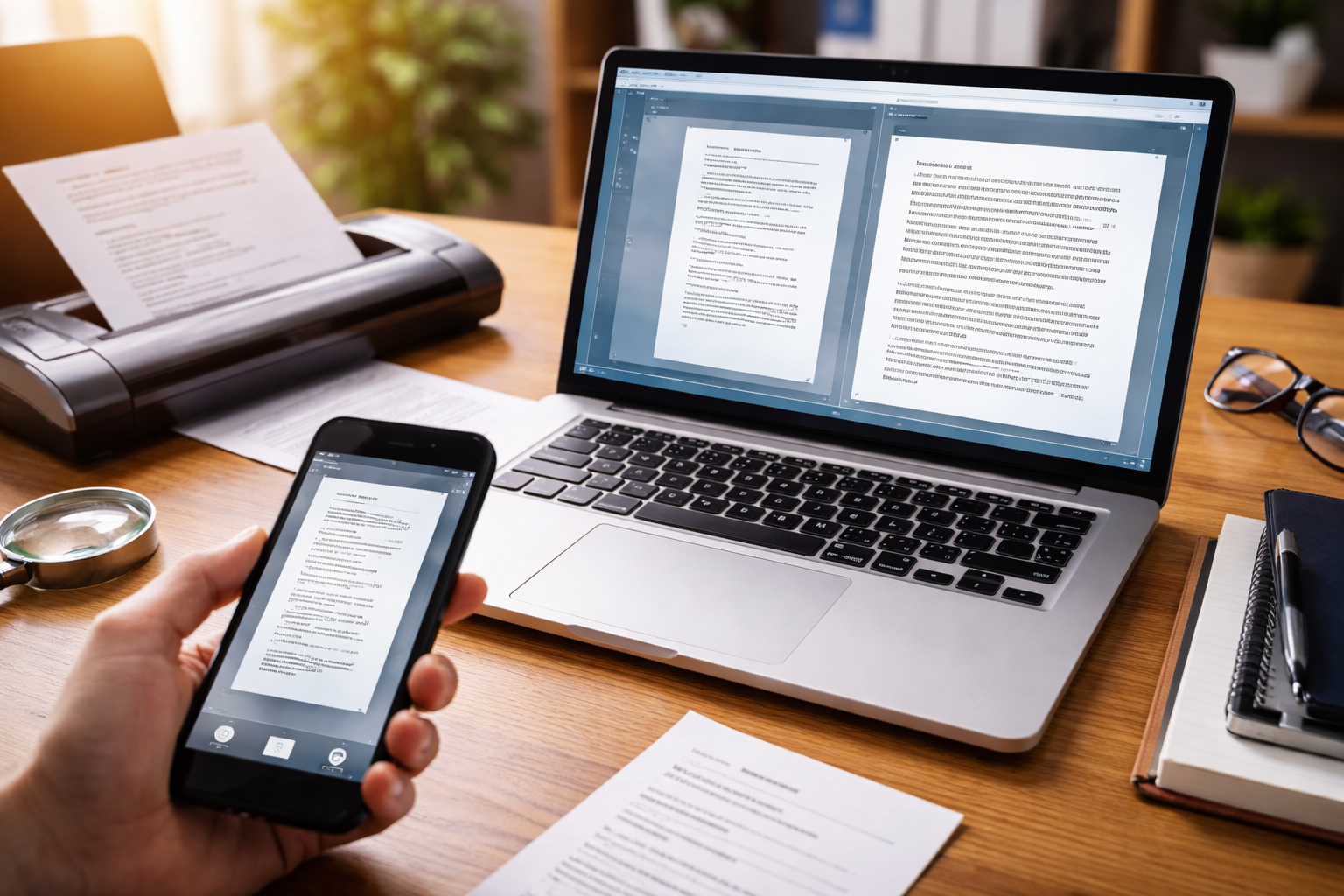
Imagine you take a photo of a textbook page. Without OCR, your device only sees an image. With OCR, the system scans that image, detects letters, and converts the page into editable text.
This is how:
- Notes become editable
- Receipts become searchable
- Scanned documents become digital files
If you want to convert a scanned document instantly, try our Image to Text tool to extract editable text within seconds.
A Brief History of OCR
OCR technology has been around for decades. Early systems were limited and could only read clean, printed fonts.
Modern OCR uses artificial intelligence and machine learning. It can recognize:
- Different fonts
- Multiple languages
- Structured documents
- Handwriting (to some extent)
The accuracy today is far better than early versions.
How Image to Text Technology Works
Now let's break down the full process of image to text conversion.
1. Image Capture
The process starts when an image is uploaded or captured using a scanner or camera.
The image might be:
- A scanned PDF
- A photo of notes
- A screenshot
- A receipt
- A printed document
Image quality plays a major role in recognition accuracy.
2. Image Preprocessing
Before recognizing characters, the system cleans and prepares the image.
This stage may include:
- Removing noise or grain
- Adjusting brightness and contrast
- Converting the image to black and white
- Straightening tilted text
- Sharpening character edges
Preprocessing improves detection accuracy significantly.
3. Text Detection
Next, the OCR engine identifies where text exists in the image.
It separates:
- Paragraph blocks
- Lines
- Words
- Individual characters
Modern AI-based systems can detect text even if it appears over complex backgrounds.
4. Character Recognition
This is the core step.
The system analyzes each detected character and compares it to known patterns stored in its database.
There are two primary recognition approaches:
Pattern Matching
The system compares characters against pre-trained templates.
Feature Detection
The system looks for unique features such as curves, angles, intersections, and line thickness.
AI-powered OCR uses neural networks trained on millions of examples. This improves accuracy across different fonts and layouts.
5. Post-Processing
After characters are recognized, the system reconstructs words and sentences.
At this stage, it may:
- Correct common spelling mistakes
- Adjust spacing
- Restore formatting (if supported)
The final result is editable text.
If you want to try this process yourself, you can use an online Image to Text converter to upload an image and instantly extract text from it.
Types of OCR Systems
Not all OCR systems work the same way.
Basic OCR
Designed for clean, printed text with simple fonts.
Intelligent Character Recognition (ICR)
Can interpret some handwritten text.
Optical Mark Recognition (OMR)
Detects marks such as filled bubbles on exam sheets.
AI-Based OCR
Uses machine learning for higher accuracy across various layouts and fonts.
Modern web-based image to text tools often use AI-powered OCR engines.
Real-World Applications of OCR
OCR is widely used across industries.
Education
Students convert book pages and notes into digital format.
Banking
Banks process checks and extract account details automatically.
Healthcare
Hospitals digitize patient records.
Legal Sector
Law firms convert printed contracts into searchable documents.
Retail and Accounting
Businesses scan receipts and invoices for record keeping.
How Students Benefit from OCR
Students often deal with printed and handwritten materials.
OCR allows them to:
- Convert classroom notes into editable text
- Copy content from textbook images
- Create digital study materials
- Search through scanned notes
This saves time and reduces repetitive typing.
How Businesses Use OCR for Automation
Businesses process large volumes of paperwork.
OCR helps with:
- Extracting invoice numbers
- Reading payment amounts
- Capturing form entries
- Digitizing contracts
This reduces manual data entry and improves workflow speed.
Advantages of OCR Technology
Saves Time
Manual typing of long documents takes hours. OCR converts them in seconds.
Improves Productivity
Teams can focus on meaningful tasks rather than repetitive data entry.
Makes Content Searchable
Scanned documents become searchable in databases.
Reduces Human Error
Automated extraction lowers typing mistakes.
Limitations of OCR
OCR is powerful, yet not perfect.
Challenges include:
- Low-quality or blurry images
- Poor lighting
- Complex or decorative fonts
- Heavy handwriting variations
Reviewing extracted text is always recommended.
Tips for Better OCR Accuracy
You can improve results by following these steps:
- Use high-resolution images
- Keep text straight and aligned
- Avoid shadows and reflections
- Crop unnecessary background
- Use clear, readable fonts
Clean input produces better output.
OCR and SEO
Search engines cannot read text embedded inside images.
If your website contains infographics, scanned quotes, or screenshot-based content, that text will not be indexed.
By using OCR to extract text and adding it to your page:
- Search engines can crawl it
- Keywords become visible
- Content becomes searchable
This improves overall visibility in search results.
OCR vs Manual Data Entry
Manual typing:
- Slow
- Repetitive
- Prone to errors
OCR:
- Fast
- Scalable
- Suitable for bulk processing
For large document volumes, OCR is far more efficient.
Is OCR Safe?
Most online image to text tools process files temporarily. Files are usually deleted after processing.
If dealing with confidential documents:
- Use trusted platforms
- Review privacy policies
- Avoid uploading sensitive data to unknown sites
The Future of OCR
OCR continues to improve with artificial intelligence.
Future improvements may include:
- Better handwriting recognition
- Real-time camera-based recognition
- More accurate multi-language support
- Integration with voice systems
As AI models improve, text recognition accuracy will continue to rise.
Common OCR Errors and How to Fix Them
Even advanced OCR systems can make mistakes. Understanding common errors helps you correct them quickly.
1. Character Confusion
Some letters and numbers look similar, especially in certain fonts. For example:
- "O" and "0"
- "I" and "1"
- "S" and "5"
When reviewing extracted text, always scan for these substitutions.
2. Broken Words
Low image quality can cause OCR to split a word into two parts or merge two words together.
Carefully checking spacing and alignment fixes this issue.
3. Formatting Loss
In some cases, paragraphs may lose their original formatting. Bullet points, tables, and columns may appear as plain text.
You may need minor manual formatting adjustments after extraction.
OCR and Multi-Language Support
Modern OCR systems are not limited to English. Many tools can detect and process multiple languages, including:
- Hindi
- Spanish
- French
- Arabic
- German
- Chinese
Advanced engines can automatically detect the language before recognition. This is useful for international businesses and multilingual students.
If your document contains mixed languages, accuracy may vary depending on the OCR engine being used.
OCR for Handwritten Text
Handwritten recognition is more complex than printed text recognition.
Each person writes differently. Letter shapes vary, spacing changes, and alignment is inconsistent.
AI-based OCR systems trained on large handwriting datasets perform better than traditional rule-based systems.
Clear handwriting with proper spacing improves results significantly.
OCR in Mobile Devices
Most smartphones now include built-in OCR capabilities.
Examples include:
- Scanning text directly from the camera
- Copying text from images in gallery apps
- Translating text in real time
Mobile OCR makes document digitization accessible to everyone. You no longer need a scanner or desktop software.
Cloud-Based vs Offline OCR
There are two main types of OCR processing methods:
Cloud-Based OCR
- Processes images on remote servers
- Often uses more powerful AI engines
- Requires internet connection
Offline OCR
- Runs locally on your device
- Does not require internet
- May have limited accuracy compared to cloud solutions
Online image to text tools typically use cloud-based OCR for better performance.
How OCR Helps in Digital Transformation
Many organizations are shifting from paper-based systems to digital record management.
OCR supports this transition by:
- Converting old archives into searchable files
- Automating document indexing
- Reducing physical storage needs
- Improving access to information
Digitized documents are easier to manage, share, and secure.
OCR and Data Extraction
Beyond simple text conversion, some advanced OCR systems can extract structured data.
For example:
From an invoice, the system can detect:
- Invoice number
- Date
- Total amount
- Vendor name
This structured extraction helps businesses automate accounting workflows.
Best Practices When Using an Image to Text Tool
To get reliable results every time:
- Upload clear images with readable fonts.
- Avoid decorative or stylized text.
- Check extracted text for accuracy.
- Re-scan documents if results appear distorted.
- Keep background clean and uncluttered.
A few small improvements in input quality can significantly improve output.
You can test this process yourself using our free online Image to Text converter.
Final Thoughts
OCR, or Optical Character Recognition, is the technology that allows computers to read text from images and convert it into editable digital content.
From students digitizing notes to businesses automating document processing, OCR plays a major role in modern workflows.
Image to text technology saves time, reduces manual effort, and makes information searchable. When used correctly, it becomes a practical tool for both personal and professional tasks.
Frequently Asked Questions
What is OCR in simple words?
OCR stands for Optical Character Recognition. It is a technology that reads text from images, scanned papers, or photos and converts it into editable digital text. Instead of typing everything manually, OCR extracts the written content automatically.
How accurate is image to text conversion?
Accuracy depends on image quality, font style, lighting, and background clarity. Clear, high-resolution images with standard fonts usually give very high accuracy. Blurry images or handwritten notes may reduce precision.
Can OCR read handwritten text?
Modern OCR tools can recognize some types of handwriting, especially neat and clear writing. Performance varies from tool to tool. Printed text is usually detected more accurately than cursive or messy handwriting.
Is OCR safe to use for sensitive documents?
Most online OCR tools process files securely, but it is better to check privacy policies before uploading confidential documents. For highly sensitive data, offline OCR software can be a better option.
What file formats are supported by image to text tools?
Common formats include JPG, PNG, PDF, and sometimes TIFF or BMP. Many tools allow users to upload scanned documents or photos directly from a device.
Where is OCR used in daily life?
OCR is used in banking for cheque processing, in education for digitizing notes, in offices for converting scanned contracts, and in mobile apps that scan receipts or identity documents. It helps reduce manual data entry and saves time.